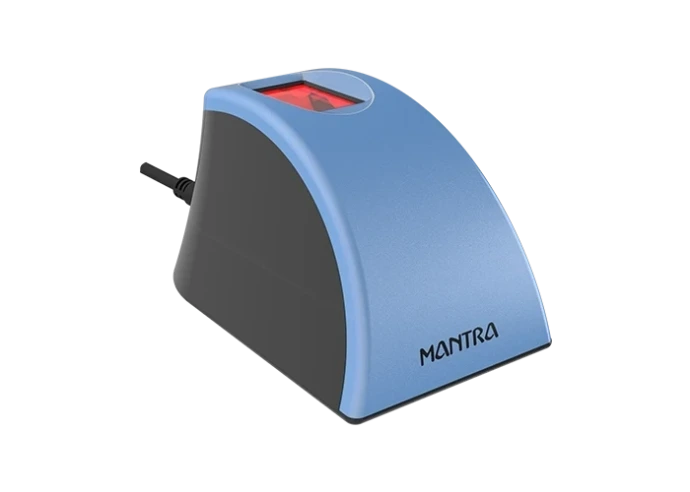
Mantra RD Service Recharge Online – Instant Activation for Biometric Devices
In the digital era, biometric authentication has become an essential part of Aadhaar verification, AEPS banking, eKYC services, and government applications. To ensure uninterrupted authentication, Mantra biometric devices require an active RD Service subscription.
If your device is showing messages like RD Service Expired, Capture Failed, Device Not Registered, or Authentication Failed, it is time to recharge your Mantra RD Service.
What is Mantra RD Service?
RD Service (Registered Device Service) is a security framework introduced by UIDAI to protect biometric data during authentication. It encrypts fingerprint information and securely transmits data between the biometric device and authentication servers.
An active RD Service is mandatory for:
- Aadhaar Authentication
- AEPS Banking Services
- eKYC Verification
- CSC Services
- Government Identity Verification
- Banking Transactions
Why is RD Service Recharge Important?
Without an active RD Service, biometric devices may stop functioning correctly, leading to authentication failures and service interruptions.
Benefits of RD Service Recharge
Secure Authentication
Protects biometric data with advanced encryption.
UIDAI Compliance
Keeps your device compliant with current UIDAI standards.
Better Device Performance
Reduces errors and improves authentication speed.
Uninterrupted Services
Continue Aadhaar, AEPS, and eKYC services without downtime.
Fast Activation
Most activations are completed within minutes after successful payment.
Common Errors Solved by RD Service Recharge
RD Service Expired
Occurs when the subscription validity has ended.
Device Not Registered
The device may require activation or renewal.
Capture Failed
Can occur due to expired RD Service or outdated drivers.
Authentication Failed
Usually caused by inactive service or configuration issues.
How to Recharge Mantra RD Service Online
The recharge process is simple and user-friendly.
Step 1
Visit the recharge portal.
Step 2
Select your device model.
Step 3
Enter the device serial number.
Step 4
Provide your mobile number and email address.
Step 5
Complete payment securely using:
- UPI
- Debit Card
- Credit Card
- Net Banking
Step 6
Wait for activation confirmation.
Most devices are activated within 2 to 5 minutes.
Why Choose RD Service Online?
At RD Service Online, we focus on providing a hassle-free recharge experience.
Our Advantages
✅ Instant Activation Support
✅ Secure Payment Gateway
✅ Fast Customer Assistance
✅ Genuine RD Service Renewal
✅ Easy Online Recharge Process
✅ Trusted by Customers Across India
Who Uses Mantra Biometric Devices?
Mantra devices are commonly used by:
- CSC Operators
- Banking CSPs
- AEPS Retailers
- Aadhaar Centers
- Government Agencies
- eKYC Service Providers
Tips for Smooth Authentication
- Keep RD Service active
- Update drivers regularly
- Use a stable internet connection
- Restart the device after activation
- Keep the scanner surface clean
Conclusion
Mantra RD Service Recharge is essential for uninterrupted biometric authentication and Aadhaar-enabled services. Keeping your device activated helps avoid authentication errors, improves security, and ensures smooth daily operations.
Whether you use your device for banking, Aadhaar verification, AEPS, or eKYC services, timely RD Service renewal keeps your business running efficiently.
🌐 Website: https://www.rdservice.online/mantra
📞 Support: 8460048260