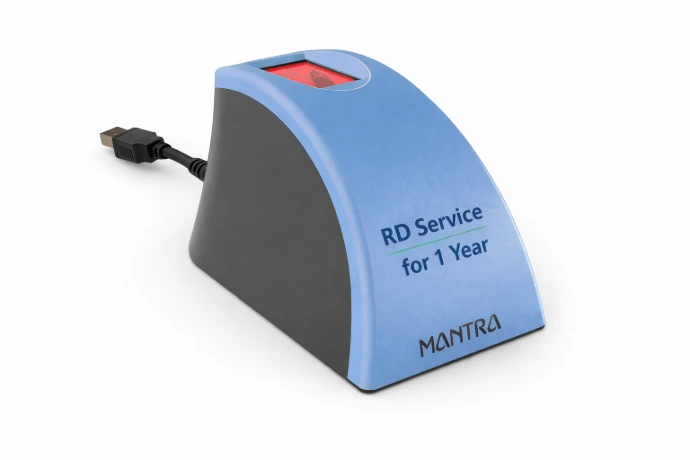
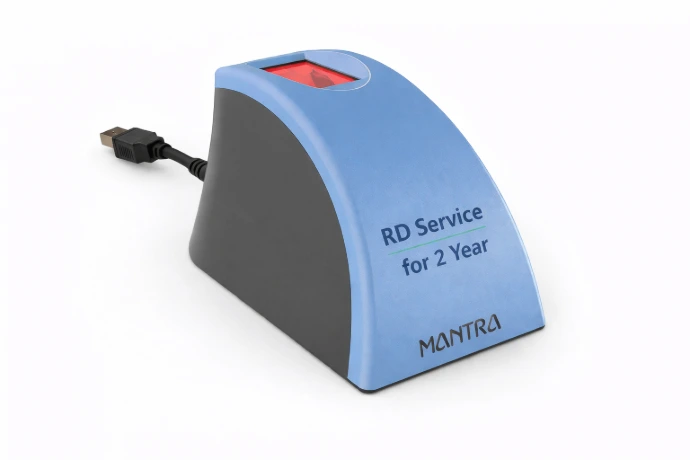
Mantra MFS110 RD Service Recharge – Complete Guide for Renewal, Activation, Download & Troubleshooting
Introduction
In today’s digital India ecosystem, biometric authentication has become one of the most important technologies for Aadhaar-based services, banking transactions, AEPS services, eKYC verification, SIM activation, attendance systems, and government-related authentication work. Among all biometric fingerprint devices available in India, the Mantra MFS110 fingerprint scanner is one of the most trusted and widely used devices.
Thousands of CSC operators, banking correspondents, retailers, distributors, fintech agents, Aadhaar operators, and online service providers use the Mantra MFS110 biometric scanner daily for secure authentication. However, to continue using the device without interruption, users must renew and activate the RD Service periodically.
If your device is showing errors such as:
Device not registered
RD Service expired
Capture failed
Device registration failed
Invalid device
RD service not found
Device not ready
Fingerprint device disconnected
then you may need a Mantra MFS110 RD Service Recharge.
This complete guide will help you understand everything about Mantra MFS110 RD Service Recharge, including activation, renewal process, benefits, installation, troubleshooting, pricing, validity, FAQs, and more.
What is Mantra MFS110?
The Mantra MFS110 is a USB-based biometric fingerprint scanner developed by Mantra Softech India Pvt Ltd. It is designed for Aadhaar authentication and biometric verification.
The device is STQC certified and supports UIDAI authentication standards. It is widely used for:
Aadhaar Enabled Payment System (AEPS)
eKYC verification
Banking authentication
SIM verification
CSC services
Government authentication portals
Attendance systems
Digital onboarding
Financial inclusion services
The Mantra MFS110 device provides fast and secure fingerprint capture with high accuracy.
What is RD Service?
RD Service stands for Registered Device Service. UIDAI introduced RD Service to improve security and prevent biometric data misuse.
Every biometric device must be registered through RD Service to work with Aadhaar authentication systems.
Without RD Service activation, your fingerprint scanner will not work properly for Aadhaar-based services.
The RD Service helps:
Encrypt biometric data
Prevent unauthorized access
Improve authentication security
Ensure UIDAI compliance
Enable secure fingerprint transactions
That is why RD Service recharge and renewal are mandatory for Mantra MFS110 devices.
Why is Mantra MFS110 RD Service Recharge Important?
Many users ignore RD Service renewal until their device stops working. However, renewing your Mantra RD Service on time is very important.
Benefits of RD Service Recharge
1. Continuous Device Usage
Your biometric device keeps working without interruption.
2. Secure Authentication
RD Service encrypts biometric data for safe Aadhaar authentication.
3. UIDAI Compliance
Your device remains compliant with UIDAI regulations.
4. Faster Authentication
Updated RD Service improves performance and fingerprint matching speed.
5. Better Compatibility
Renewal ensures compatibility with the latest portals and applications.
6. Reduced Errors
Most device-related issues are resolved after RD Service renewal.
Common Errors Solved by RD Service Renewal
Many device errors occur because the RD Service has expired.
Common Error Messages
Device Registration Failed
RD Service Expired
Capture Failed
Device Not Found
Error Code 720
Error Code 730
Error Code 1140
Fingerprint Device Not Detected
Invalid PID XML
Biometric Device Not Ready
Device Disconnected
MFS110 Not Working
Renewing the RD Service often solves these issues instantly.
Mantra MFS110 RD Service Recharge Validity
The RD Service validity depends on the recharge plan selected.
Generally available plans include:
1 Year RD Service Recharge
2 Year RD Service Recharge
3 Year RD Service Recharge
Long-term recharge plans are more economical and reduce yearly renewal hassles.
How to Check Mantra MFS110 RD Service Validity
Before renewing, you should check your device validity.
Steps to Check RD Service Status
Connect the MFS110 device to your computer
Open the Mantra RD Service application
Click on About or Device Info
Check expiry date and registration details
Verify serial number and validity status
If the validity has expired, recharge is required immediately.
How to Recharge Mantra MFS110 RD Service
The recharge process is simple and can be completed online.
Step-by-Step Process
Step 1: Find Device Serial Number
Check the backside of the MFS110 device.
You will see a 7-digit serial number.
Example:
1234567
Always enter the correct serial number.
Step 2: Visit RD Service Recharge Website
Open the RD Service recharge portal.
Choose Mantra MFS110 RD Service Recharge.
Step 3: Enter Device Details
Fill:
Device serial number
Mobile number
Email ID
Validity plan
Step 4: Make Payment
Complete payment using:
UPI
Debit card
Credit card
Net banking
Wallet
Step 5: Receive Activation Confirmation
After successful recharge, activation is processed.
You may receive:
Activation message
Email confirmation
Registration update
Step 6: Restart Device
Disconnect and reconnect your fingerprint device.
Restart the RD Service application.
Your device should start working.
Documents Required for RD Service Recharge
Usually no documents are required.
Only the following details are needed:
Correct device serial number
Mobile number
Email address
In some cases, device screenshots may be requested.
Important Tips Before Recharge
1. Enter Correct Serial Number
Wrong serial number is the biggest reason for failed activation.
Always check the backside sticker carefully.
2. Use Original Device
Recharge works only for genuine Mantra devices.
3. Keep Internet Connection Stable
Activation requires proper internet connectivity.
4. Install Latest Drivers
Old drivers may create compatibility issues.
5. Restart System After Activation
Restarting helps refresh the registration status.
How to Install Mantra MFS110 Drivers
Proper driver installation is essential.
Installation Steps
Download Driver
Download the latest:
MFS110 driver
RD Service application
Management client
Run Setup
Double-click the installer.
Complete Installation
Follow on-screen instructions.
Connect Device
Insert the fingerprint scanner.
Verify Detection
Check if the device is recognized.
System Requirements for Mantra MFS110
Supported Operating Systems
Windows 7
Windows 8
Windows 10
Windows 11
Required Configuration
USB port
Stable internet connection
Minimum 2GB RAM
Updated browser
How to Activate Mantra RD Service
After recharge, activation may occur automatically.
If manual activation is needed:
Open RD Service software
Connect fingerprint device
Click Register Device
Wait for registration success message
Restart browser or system
Your device will be activated.
How to Download Mantra RD Service Software
Users should always use the latest version.
Software includes:
RD Service driver
Device management utility
Capture software
Registration tool
Latest versions improve:
Stability
Security
Compatibility
Performance
Benefits of Using Original Mantra RD Service
High Security
Biometric data remains encrypted.
Fast Authentication
Quick fingerprint verification.
Better Accuracy
Lower fingerprint mismatch issues.
UIDAI Approved
Fully compliant with Aadhaar ecosystem.
Stable Performance
Smooth operation across portals.
Industries Using Mantra MFS110
The Mantra MFS110 device is widely used across multiple industries.
Banking Sector
AEPS transactions
Cash withdrawal
Balance inquiry
Mini statement
CSC Centers
Aadhaar services
Government schemes
eKYC verification
Telecom Industry
SIM activation
Customer verification
Attendance Systems
Employee attendance
Access management
Financial Services
Digital onboarding
KYC verification
Why Choose Online RD Service Recharge?
Online recharge provides several advantages.
Instant Processing
Fast activation support.
Easy Payment Methods
UPI and online payment support.
24x7 Availability
Recharge anytime.
No Physical Visit Required
Complete process online.
Quick Support
Customer assistance available.
Troubleshooting Mantra MFS110 Issues
Sometimes users face technical problems even after renewal.
Here are common fixes.
Problem 1: Device Not Detected
Solution
Reconnect device
Change USB port
Reinstall drivers
Restart system
Problem 2: Capture Failed
Solution
Clean fingerprint sensor
Place finger properly
Update RD Service
Restart application
Problem 3: RD Service Not Running
Solution
Start RD Service manually
Reinstall software
Check Windows services
Problem 4: Registration Failed
Solution
Verify serial number
Check internet connection
Use latest software version
Problem 5: Fingerprint Quality Poor
Solution
Clean scanner surface
Use dry finger
Avoid excessive pressure
Best Practices for Mantra MFS110 Device
Keep Device Clean
Dust affects fingerprint quality.
Avoid Physical Damage
Handle carefully.
Use Genuine Software
Avoid unofficial applications.
Update Drivers Regularly
Latest updates improve performance.
Renew RD Service Before Expiry
Avoid work interruption.
Mantra MFS110 vs Other Fingerprint Devices
Advantages of MFS110
High accuracy
Compact design
Fast authentication
Wide compatibility
Strong support network
Reliable performance
Because of these features, MFS110 is one of the most popular biometric devices in India.
How RD Service Improves Security
Security is one of the biggest reasons for RD Service implementation.
Key Security Features
Encrypted Biometric Data
Fingerprint data is encrypted.
Device Authentication
Only registered devices can work.
Tamper Protection
Prevents biometric misuse.
UIDAI Compliance
Supports secure Aadhaar ecosystem.
Who Needs Mantra MFS110 RD Service Recharge?
The following users commonly require RD Service renewal:
CSC operators
Banking correspondents
Retailers
Aadhaar operators
Fintech agents
Telecom retailers
Government service centers
KYC operators
Online service providers
If you use Aadhaar authentication, RD Service renewal is essential.
Common Reasons for RD Service Expiry Problems
Many users face issues because:
Expiry date ignored
Wrong serial number entered
Old drivers installed
Incomplete activation
Internet issues during registration
Fake recharge services used
Using trusted recharge services avoids these problems.
How to Identify Original Mantra Device
Before recharge, ensure your device is genuine.
Check:
Serial number sticker
Device branding
Proper packaging
Driver compatibility
Official software detection
Fake devices may fail during RD Service activation.
Advantages of Long-Term RD Service Plans
Many users choose multi-year plans.
Benefits
Lower Cost
Long validity plans reduce yearly expenses.
Less Renewal Hassle
No frequent renewals.
Business Continuity
Uninterrupted operations.
Better Value
Cost-effective for regular users.
Why Your Mantra Device Stops Working Suddenly
Many users panic when the device suddenly stops working.
Common reasons include:
RD Service expired
Driver corruption
Windows update issue
USB connectivity problem
Service not running
Browser compatibility issue
Most issues can be fixed quickly.
Browser Compatibility for Mantra RD Service
Some portals work better on supported browsers.
Recommended browsers:
Google Chrome
Microsoft Edge
Mozilla Firefox
Always update your browser for better compatibility.
Importance of Driver Updates
Driver updates improve:
Device stability
Authentication speed
Error fixing
Portal compatibility
Security
Old drivers may create registration failures.
Frequently Asked Questions (FAQs)
Q1. What is Mantra MFS110 RD Service Recharge?
It is the renewal process required to keep the fingerprint scanner active for Aadhaar authentication.
Q2. How can I check my RD Service expiry?
Open the RD Service software and check device information.
Q3. How long does activation take?
Usually activation is completed quickly after payment.
Q4. Can I recharge online?
Yes, RD Service recharge is available online.
Q5. What happens if RD Service expires?
Your biometric device may stop working for Aadhaar authentication.
Q6. Which serial number should I enter?
Enter only the correct 7-digit serial number printed on the device.
Q7. Can recharge solve capture failed errors?
Yes, many errors are resolved after proper renewal.
Q8. Is internet required for activation?
Yes, stable internet is necessary.
Q9. Can I use the same device on multiple systems?
Yes, after proper driver installation.
Q10. Is Mantra MFS110 UIDAI approved?
Yes, it is widely used for Aadhaar authentication.
SEO Keywords for Mantra MFS110 RD Service Recharge
Below are important keywords for ranking your page on Google.
Primary Keywords
Mantra MFS110 RD Service Recharge
Mantra RD Service Renewal
MFS110 RD Recharge
Mantra Fingerprint RD Service
Mantra MFS110 Activation
Mantra RD Service Online
RD Service Recharge Online
Mantra Device Recharge
Secondary Keywords
MFS110 Driver Download
Mantra RD Service Download
Mantra Recharge Online
Fingerprint Device Renewal
Aadhaar Fingerprint Device
MFS110 Device Registration
RD Service Expired Solution
Mantra Capture Failed Error
Long Tail Keywords
How to recharge Mantra MFS110 RD Service
Mantra MFS110 RD Service renewal online
Mantra fingerprint device not working solution
Mantra RD Service activation process
MFS110 recharge with serial number
Best Mantra RD Service provider
Tips to Rank Your Mantra RD Service Page on Google
1. Use Proper Keywords
Include target keywords naturally.
2. Add FAQ Section
FAQs improve SEO visibility.
3. Improve Page Speed
Fast websites rank better.
4. Use Mobile-Friendly Design
Most users access through mobile.
5. Add Original Images
Use unique thumbnails and screenshots.
6. Publish Regular Blogs
Fresh content improves ranking.
7. Build Backlinks
High-quality backlinks improve authority.
8. Use Internal Linking
Link related pages together.
9. Optimize Meta Tags
Use strong title and description.
10. Use HTTPS Security
Secure websites rank better.